Batch normalization in plain words
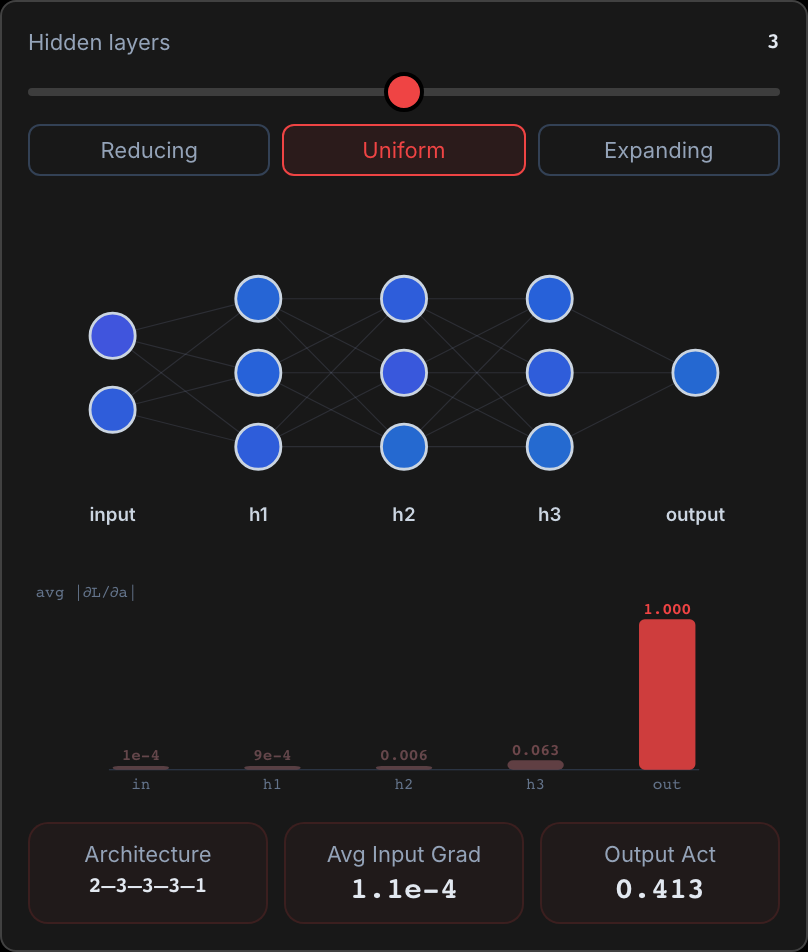
A neural network passes numbers from layer to layer, and training keeps changing its weights, the numbers each layer multiplies its inputs by. The values reaching the next layer can drift far from zero, where an S-shaped function goes flat and learning stalls. Batch normalization, BN for short, resets those values for every batch, the small group of examples trained on at once.
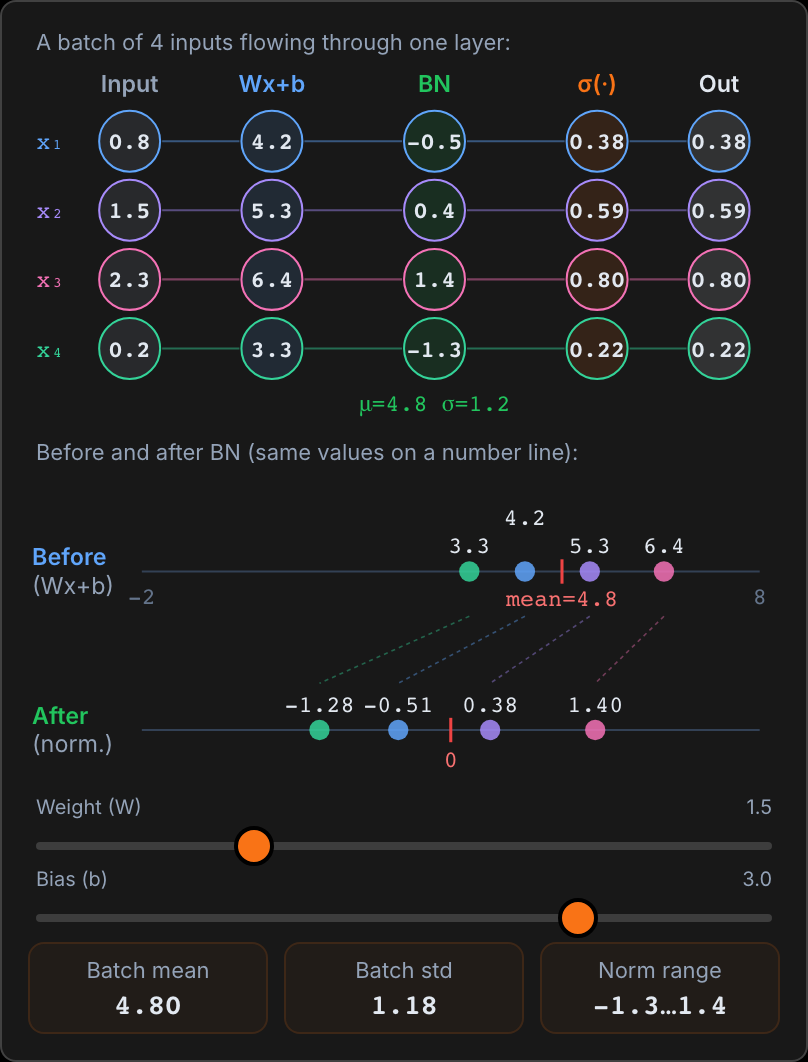
- The picture follows a batch of 4 inputs, x₁ to x₄, through one layer. First the layer computes Wx + b: each input times a weight W, plus a bias b, a number added to every value. With W = 1.5 and b = 3.0, the inputs 0.8, 1.5, 2.3 and 0.2 become 4.2, 5.25, 6.45 and 3.3, shown rounded. All four sit far right of zero.
- BN then measures the batch: the mean, the average of the four values, is 4.80, and the standard deviation, the typical distance from that mean, is 1.18. They appear rounded as μ and σ under the BN column. BN subtracts the mean from each value and divides by the standard deviation. The After line shows the result: −1.28, −0.51, 0.38 and 1.40, centered on 0 with a standard deviation of 1. The dots keep their order and relative spacing.
- The next column, σ(·), is the sigmoid, an S-shaped function with outputs between 0 and 1. After BN it gets values near its steep middle and outputs 0.22 to 0.80. Given the raw values, it would output 0.96 to 1.00, on its flat top, where its slope is close to 0. A tiny slope means a tiny gradient, the signal that tells each weight how to change. Changing W or b leaves the After values in place: BN cancels any stretch or shift.
Takeaway
Full BN then applies a learned scale γ (gamma) and shift β (beta), so the network can undo the reset where that helps. At test time it uses running averages saved during training in place of batch statistics. Tiny batches make those statistics noisy, and most transformers use layer normalization, which averages within each example instead.
Batch Normalization
On the BN in Action step, drag the Weight (W) and Bias (b) sliders and watch the After line stay in place.
Open the explainer